How to train search with Tavlingshund
Search is a fun dog sport that suits many dogs. With Tavlingshund, you can train search, create a search map and log your sessions in the app.
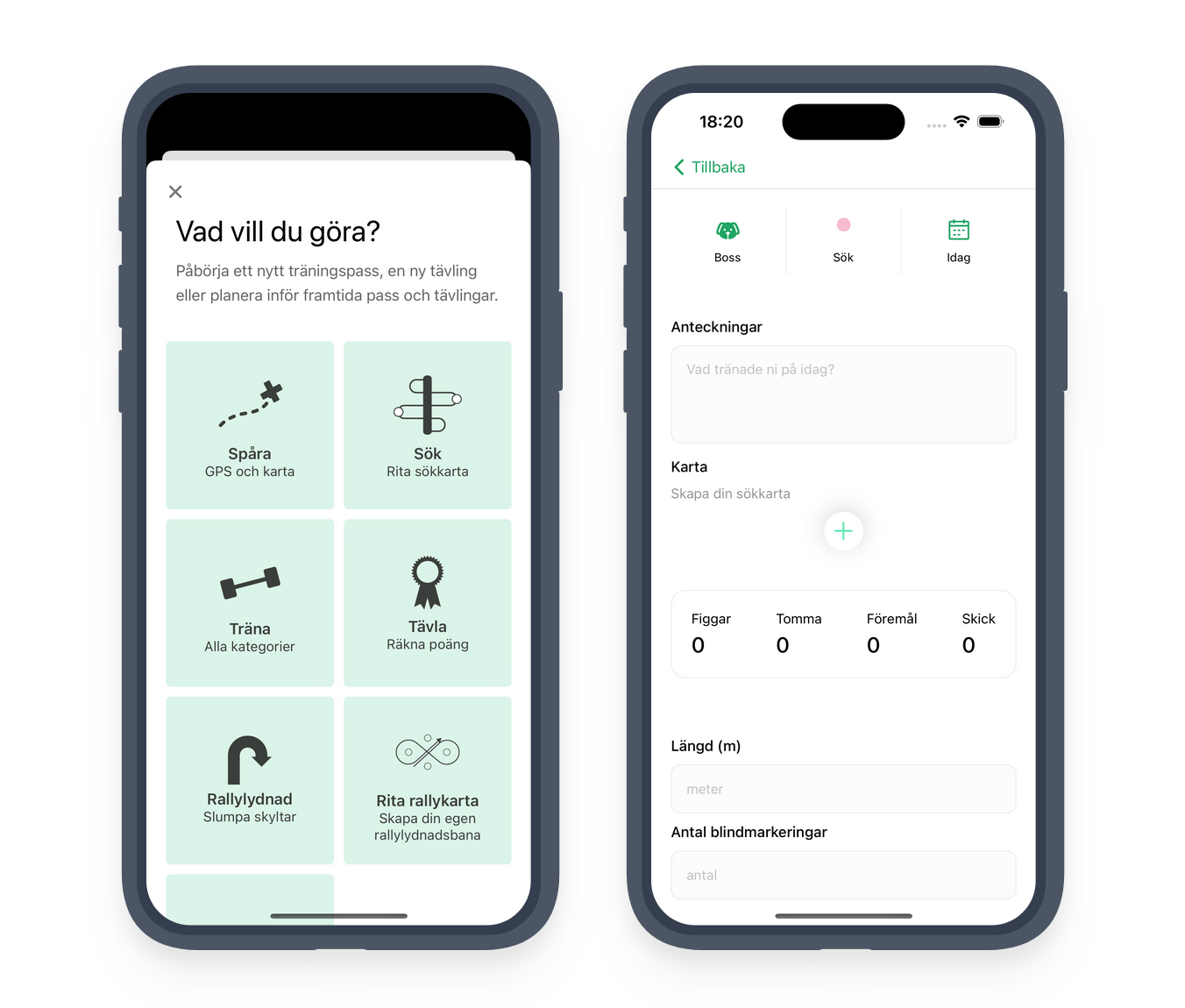
When you want to start a new session in the app, select the new tab on the home screen. Then go to Search and you'll see the main view for creating an entry in the training diary.
With the session set to search, several features specific to search training become visible, including the ability to create a search map.
Add dispatches to the search map
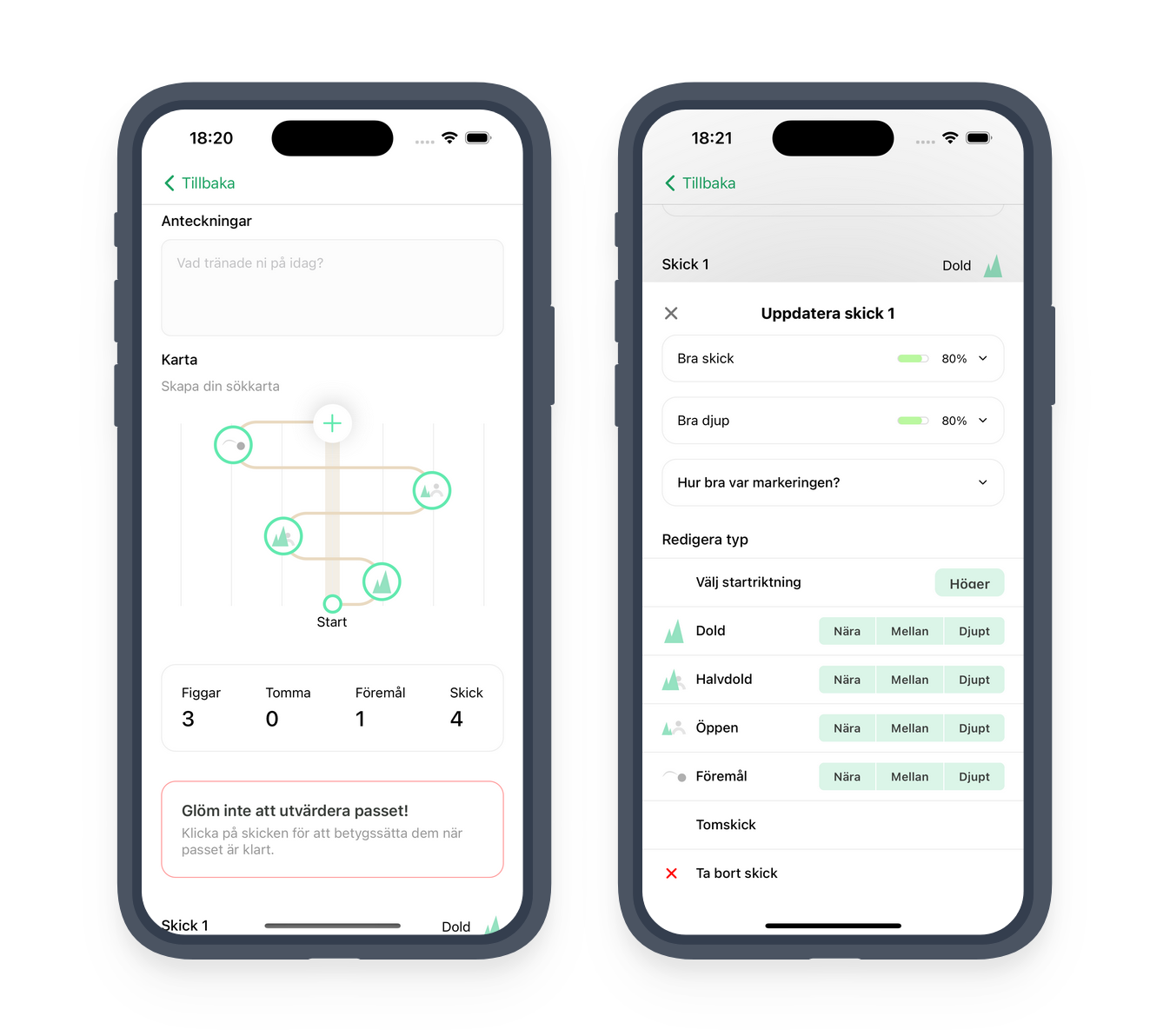
By tapping the plus icon in the centre of the view, you can add a dispatch. You get to choose the visibility of the decoy and how deep the dispatch should be.
The decoy can be either visible (open), hidden or semi-hidden. If you're using objects instead of a decoy, you can select that option instead. The depth can be near, medium or deep. You can also choose the direction of the first dispatch; subsequent dispatches alternate direction automatically. Once you've added all the dispatches you want, you can save the session. After the session is complete, you can return to your saved session and evaluate each dispatch by editing the session.
Evaluate the session
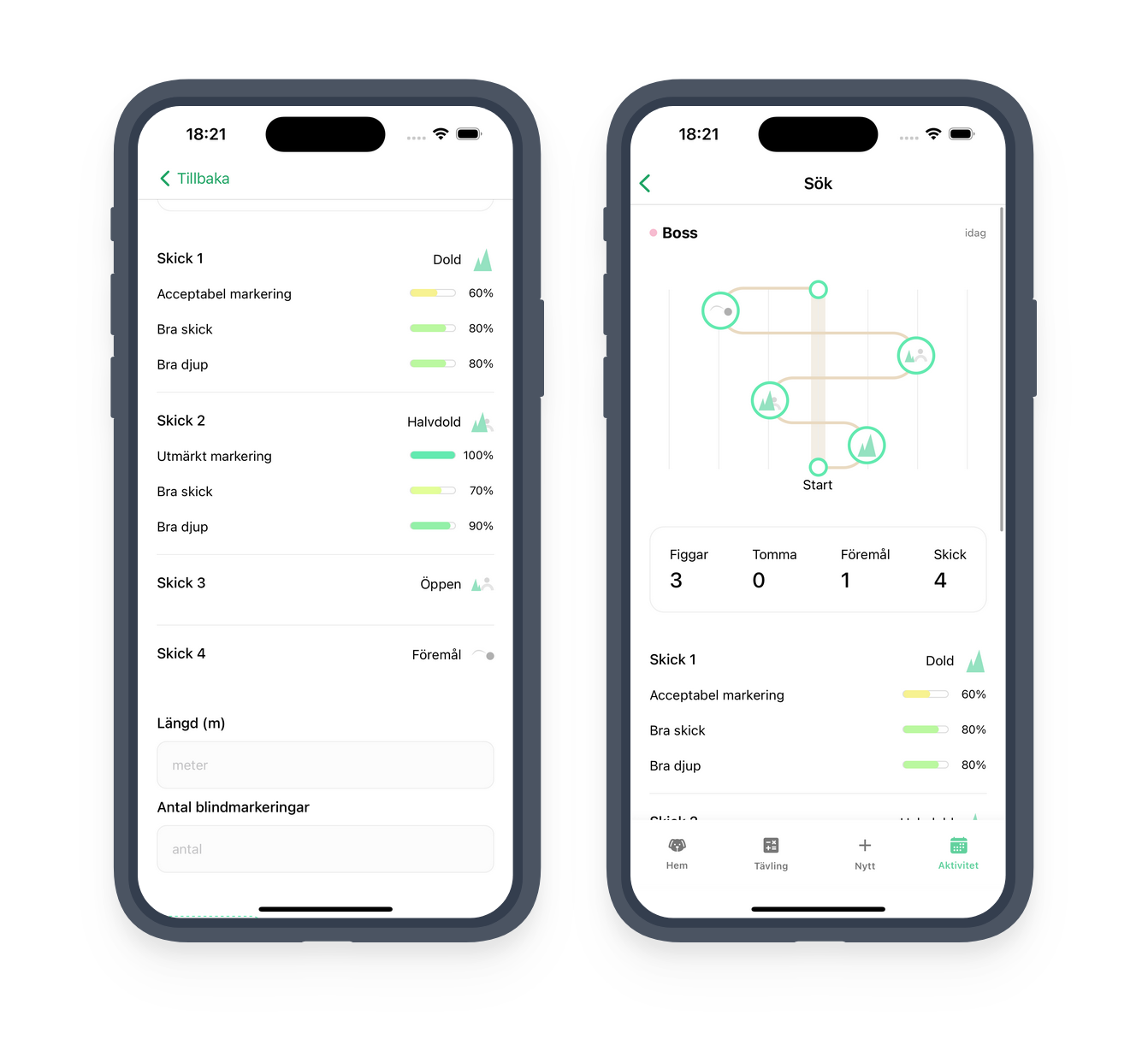
When the session is finished, you can edit your search map to rate each dispatch. You can click on each dispatch and rate how well the dispatch went, how well the dog worked the depth and how good the indication was. This gives you a clear overview of how the session went. Good luck in the field!
Download now!
Ready to try the app?
Scan the QR code with your phone to go directly to your app store. Or click through to read more about the app.